|
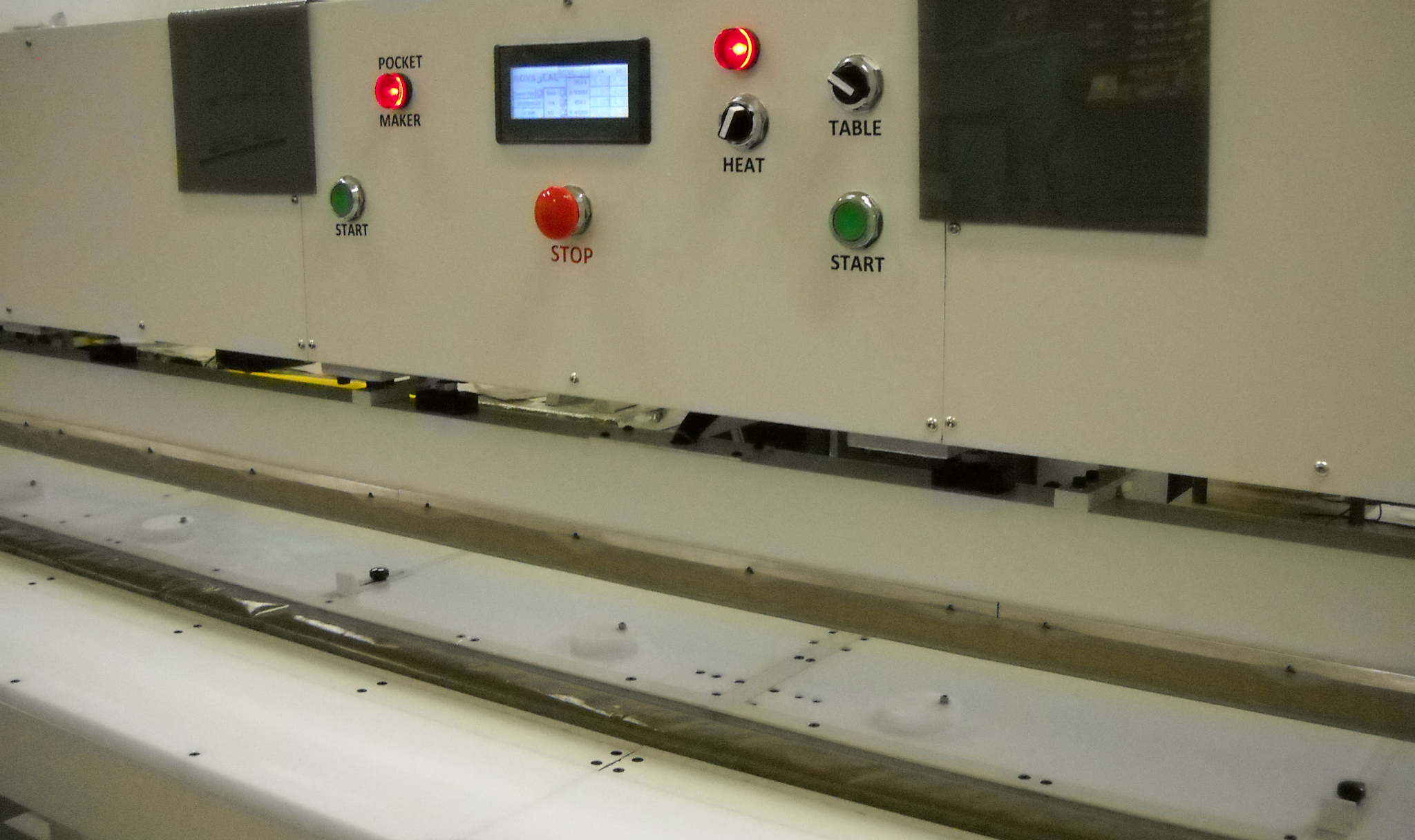
Sealing Controls Section. Located near the middle of the front side of the machine is the Sealing Controls. This section includes: TouchScreen (HMI); HEAT ON switch & HEAT ON Indicator Lamp; Automatic PocketMaker Indicator Lamp; Table Lock switch; Press Start switches and E-Stop switch.
TouchScreen (HMI) is the “brains” of the ShadeSealer machine. More information on programming or setting parameters using the TouchScreen. Click here for more information on how to turn on the TouchScreen HMI. Programming details also define how to turn on the Automatic PocketMaker. When this option is turned on, the red PocketMaker indicator lamp is illuminated as shown in the photo above.
HEAT ON switch has two modes. In the OFF position, the heat sealer is in the MANUAL mode. In the ON position (red lamp illuminated), the heat sealer is in the AUTOMATIC mode. Manual mode means that you need to turn on the HEAT ON switch to activate heat sealing process. Automatic mode means that when you activate the two green START buttons, the heat sealer will automatically begin the heat sealing process.
Both green START buttons need to be pressed at the same time to activate the UPPER PRESS BAR. The Upper Press Bar is used in two operations ... in the PocketMaker sequence to hold material in position; and in the heat sealing sequence to deliver heat. Pressing any one of the START buttons will interrupt the PRESS and return the Upper Press Bar to the UP position.
Table Lock switch operates the table locks. There are 3 Table Locks located at the front edge of the Front Table. When this switch is in the ON or right position, all three Table Locks are activated. Table Locks are used when a roll of material is placed on the Front Table. It replaces a cradle.
E-Stop buttons. There are 3 E-Stop buttons. Pressing any one of the 3 E-Stop buttons will turn off the machine. First the electronics are powered down, then the pneumatics are powered down. E-Stop is used as either a STOP switch or emergency STOP switch. To turn the machine back on, use the POWER ON button.
|