|
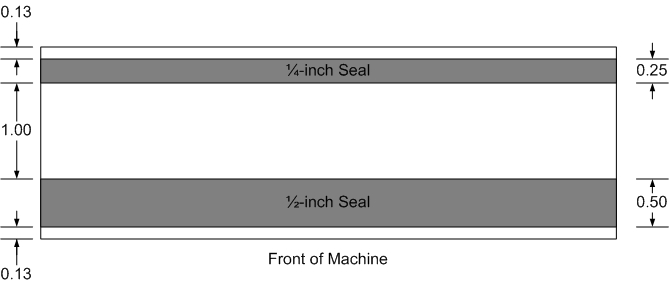
ShadeSealer-168 with MultiHead option is used to produce two seals ... 1/4-inch x 168-inch and 1/2-inch x 168-inch. Seal Illustration:
Please read all procedures and instructions before using the machine.
Operating Instructions
Power On Instructions:
- Remove any debris from sealing area(s).
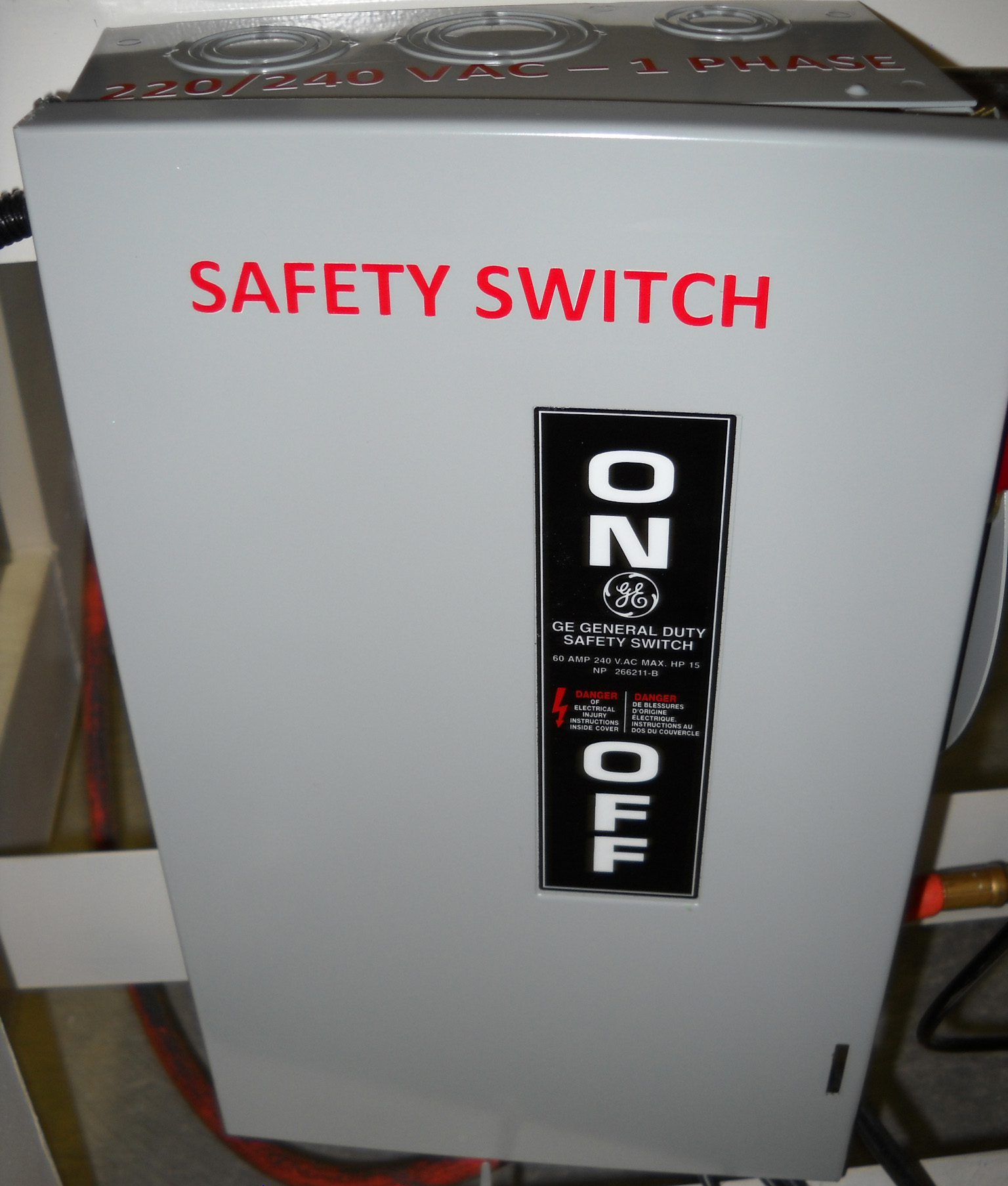 Turn on the Safety Switch. Turn on the Safety Switch. - Turn on the Machine by press and holding the POWER button (shown on right). Release the POWER button when you hear (or see) that the TouchScreen is on. Power On green lamp will illuminate.
- Make sure compressed air is connected to the machine and that the Rocker switches are in the ON position. This means that the red indicator lamp in the photo on the right is not illuminated. If the red indicator lamp is on, make sure the Rocker switches (labeled BOTTOM and TOP) are in the on or right position as shown in the photo.
- While the TouchScreen is illuminated, you can adjust, change, modify or edit settings shown on the HMI Screen. Machine is now ready.
Heat Sealing without Automatic PocketMaker:
- Make sure that the PocketMaker red indicator lamp is not on. If it is on, turn it off by entering the SETUP window on the TouchScreen and touching the Pock
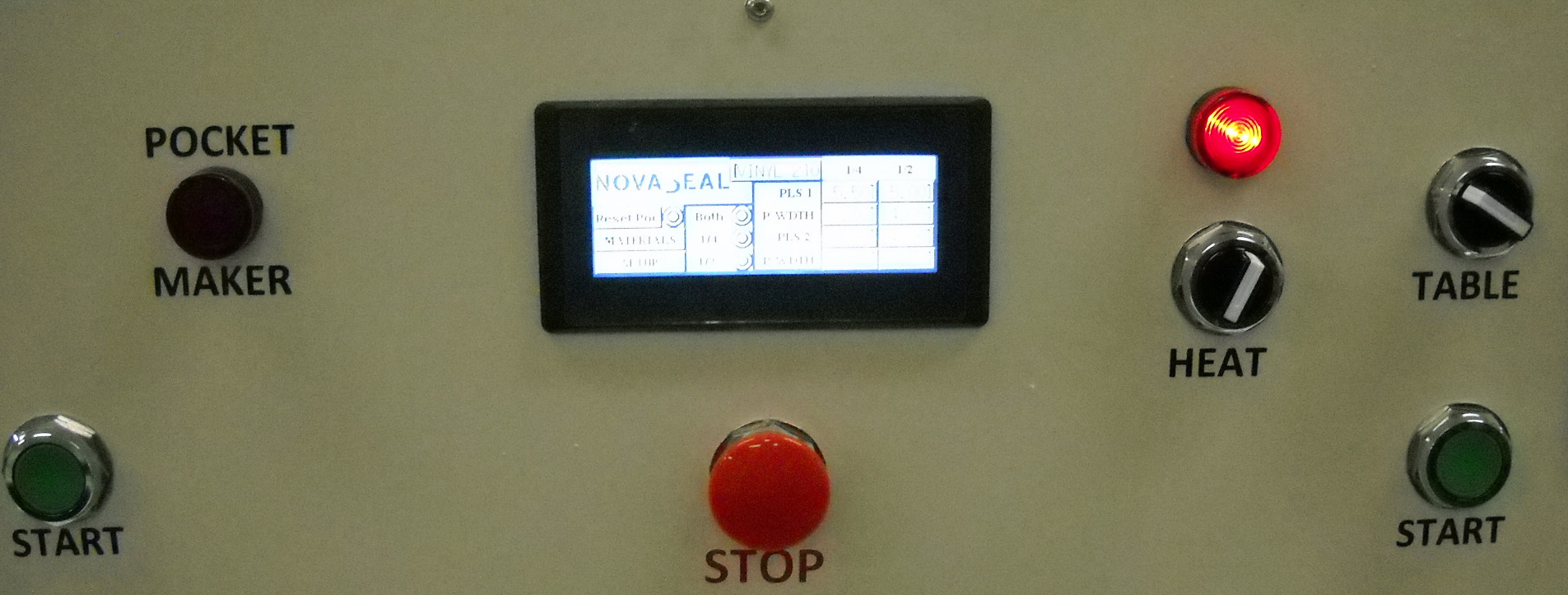 etMaker. Red indicator lamp will turn off. Touch Main Menu to return to Main Menu on the TouchScreen. etMaker. Red indicator lamp will turn off. Touch Main Menu to return to Main Menu on the TouchScreen.
- Select Material from MATERIALS menu on the TouchScreen. Then select Main Menu. Sealing parameters are stored with each Material saved on the PLC. Click here for instructions on how to enter new materials.
- Select Seal Width. Confirm seal width shown on the Main Menu. If it is not correct, then touch SETUP, and select which seal width or widths your prefer.
- Return to Main Menu to confirm selections. Confirm material selected and seal width selected.
- Locate material to be sealed. Use Laser Alignment or other method to assure materials are aligned correctly. Hold materials in place with magnets, tape or other means.
- For automatic mode, turn on the HEAT switch. Red lamp will illuminate (as shown in photo above). Automatic mode means that when you begin sealing, the heating cycles will automatically begin. If you prefer manual mode, meaning that you after the press is engaged, you get to start heating cycle manually, then turn the HEAT switch off. If you select Manual mode, then when materials meet your inspection for sealing, simply turn on the HEAT switch and the heating cycle will begin. If you selected Automatic mode, then the heating cycle will automatically begin with the press is in the down position. If at any time during the heating or sealing cycle, you need to stop process, you can either press one of the START switches to disengage the press; or press one of the STOP switches to turn off the machine.
- Press both START switches at the same time to begin the sealing cycle. Again, press only one of the START switches to disengage. When pressing the START switches, do so at the same time and hold for a couple of seconds then let go. The Press will continue moving down. If releasing the START buttons causes the Press to open, then try pressing the START switches for less time.
- At the conclusion of the heating or sealing cycle, the machine will automatically release the Press meaning the Upper Sealing Bar will return to UP position.
- Remove sealed materials.
Heat Sealing with Automatic PocketSealer
- Turn on the PocketMaker. To do so, touch SETUP on the TouchScreen, then touch PocketMak
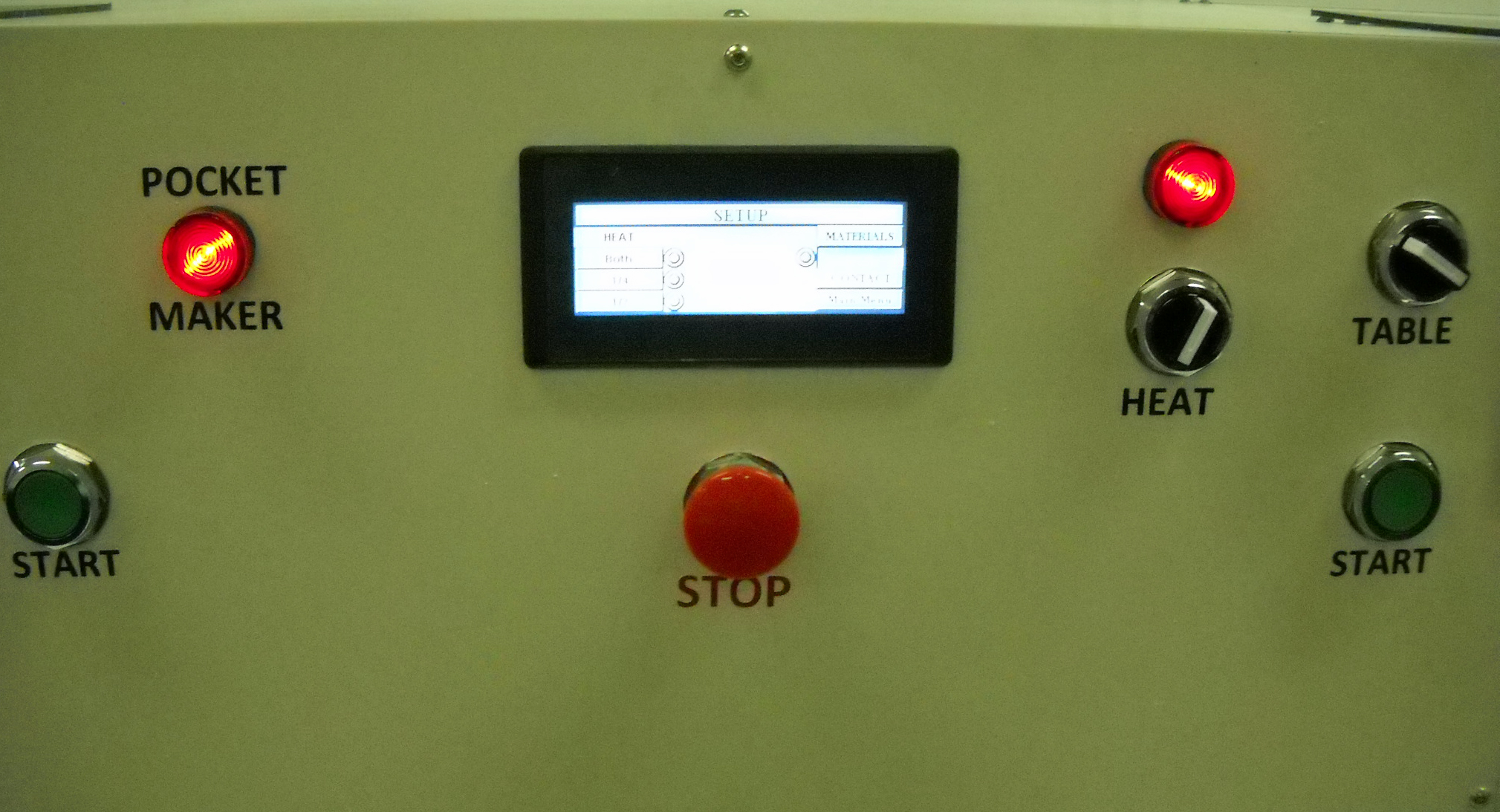 er. The red indicator lamp for the PocketMaker will illuminate on the Sealing Control Section of the Upper Section of the Machine. er. The red indicator lamp for the PocketMaker will illuminate on the Sealing Control Section of the Upper Section of the Machine.
- Refer to instructions for Heat Sealing without Automatic PocketMaker; however with Automatic PocketMaker ON, the machine will automatically make pockets.
- Locate materials to be sealed. Position edge of material against both Linear and Elliptical table adjustments. These devices are used to locate heat seal location. Blade assembly is attached to the Press and creates pocket depth by pulling material from table adjustment location and pushing it into a groove or slot behind the Lower Sealing Bar. The table adjustment essentially provides material, and the blade creates the pocket depth. Together these adjustments determine pocket depth and location of pocket. For example depending on adjustments, pockets could be sealed with 1/4-inch or 1/2-inch heating elements. It is very important that the material edge is cut perfectly square to assure that the pocket seal is perfect. To adjust the table devices, we suggest you begin by adjusting the Linear device, then using a straight edge make sure that the Elliptical device stay in alignment with the Linear device. Click here for more information on how to adjust for pocket depth.
- Once material is positioned against Linear and Elliptical table devices, then use magnets or other method to hold material in position.
- Press both START buttons at the same time.
- Press will engage, and Automatic PocketMaker system will automatically hold material in position, then the Blade will push available material into a groove to create depth. Press will then disengage returning to UP position. Next the Rear Table will move forward to assure material edge is positioned to be heat sealed.
- Machine is designed to stop at this point so that you can inspect the pocket as well as position heat tape, if applicable. If the pocket is unacceptable, then you can reset the pocket by touching “Reset Poc” from the Main Menu of the TouchScreen. Immediately the Rear Table will “back off” and the PLC will reset the Automatic PocketMaker. Realign materials and start again. If the pocket is acceptable, then press the START buttons again, and the sealing cycle begins if the Automatic mode was selected; or if automatic mode wasn’t selected, then turn HEAT switch when the Upper Sealing Bar is in the fully down position.
|